The 12 Best AI Coding Agents in 2026: Ranked After 6 Months of Daily Use
I've spent the last six months running every credible AI coding agent in production. Not benchmarks. Not vendor demos. Real client work, Next.js migrations, Supabase schema rewrites, a Rust microservice that turned into a hostage situation. This is what's actually worth paying for in May 2026, and which tools I'd skip even if they were free.
The honest answer up top: there is no single best AI coding agent in 2026 anymore. The top four, Claude Code, OpenAI Codex, Cursor, and GitHub Copilot, each win on a different task shape. Pick one, then add a second within 30 days. That's the whole meta.
Quick Verdict: Who Wins What in 2026?
Claude Code wins overall in 2026 for senior devs on hard refactor work, Codex (GPT-5.5) wins for agentic task delegation, Cursor remains the daily-driver IDE for mixed teams, and GitHub Copilot is the safest enterprise default. Skip all of them if your codebase is mostly legacy regulated code or fully offline.
Those are the four podium picks. Behind them, Windsurf and Cline cover budget-conscious teams, Aider and OpenCode cover OSS-first terminal devs, and Devin and Replit Agent cover the "let it run while I sleep" use case. Everything else is a specialist tool, useful in one stack, forgettable in others.
One honest caveat before we go further: if you're working on a regulated codebase, fully air-gapped, or maintaining legacy COBOL, none of this list helps you. Skip to the When NOT to Use an AI Coding Agent section.
The 12 Best AI Coding Agents at a Glance (Comparison Table)
Here's the whole field in one scan. The tier column tells you where the tool lives, your terminal, your IDE, or somewhere in the cloud running while you do something else. Tier 1 picks are bolded.
| Rank | Tool | Tier | Best For | Starts At (May 2026) | Honest Weakness |
|---|---|---|---|---|---|
| 1 | Claude Code | Terminal | Hard refactors, multi-file reasoning | $20/mo Pro | April postmortem flagged reliability dips |
| 2 | OpenAI Codex (GPT-5.5) | Terminal/Cloud | Agentic task delegation | $20/mo Plus | Cloud runtime can feel opaque |
| 3 | Cursor | IDE | Daily IDE work, GUI-first teams | $20/mo Pro | Credit-burn on heavy days |
| 4 | GitHub Copilot | IDE/Hybrid | Enterprise teams, one bill | $10/mo Pro | Weaker on complex multi-file edits |
| 5 | Windsurf | IDE | Large monorepos, budget IDE agent | $15/mo Pro | Cognition acquisition governance uncertainty |
| 6 | Cline (+ Roo Code fork) | IDE/OSS | Privacy-sensitive, BYO model | Free + API costs | UX rougher than commercial peers |
| 7 | Aider | Terminal/OSS | Git-native solo workflows | Free + API costs | No IDE polish |
| 8 | Devin | Autonomous | Async, overnight delegation | $500/mo Team | Execution consistency varies |
| 9 | Replit Agent 3 | Autonomous/Hybrid | End-to-end prototyping | $20/mo Core + usage | Vendor lock-in to Replit hosting |
| 10 | OpenCode | Terminal/OSS | Multi-model evaluators | Free + API costs | Newer, less polished docs |
| 11 | Gemini CLI / Code Assist | Terminal/IDE | Free tier, 1M-token context | Free + paid AI subs | Behind on agentic task quality |
| 12 | Amazon Q Developer | IDE/Hybrid | AWS-heavy enterprises | Free + $19/mo Pro | Best inside AWS, weak outside |
The ranking criteria are explained in How I Ranked These below. Short version: hands-on quality on hard tasks, real cost per active dev day, ecosystem fit, and what r/ChatGPTCoding actually says, not just SWE-bench scores.
What Counts as an "AI Coding Agent" in 2026?
An AI coding agent is an LLM-powered tool that can plan multi-step tasks, edit multiple files, run terminal commands, and verify its own work, not just autocomplete a line. The 2026 generation (Claude Code, Codex, Cursor agent mode, Devin) lives somewhere on a spectrum from inline autocomplete to fully autonomous VM-running agent.
Think of it as four stops on a dial:
- Autocomplete, GitHub Copilot in 2022. Suggests the next line. You stay in control of every keystroke.
- Assistant, Cursor Chat, early Copilot Chat. Answers questions, drafts code blocks, but you wire them in.
- Agent, Cursor Composer 2.0, Claude Code, Codex CLI. Plans a task, edits 6 files, runs your tests, fixes what it broke.
- Autonomous, Devin, Codex Cloud, Replit Agent. Lives on its own VM, runs for hours, opens a PR while you're asleep.
The reason "agent" matters in 2026 is that the benchmarks finally caught up to the reality. SWE-bench Verified measures whether a tool can solve a real GitHub issue end-to-end, and Terminal-Bench 2.0 scores agentic terminal work. Both are how I'd judge a tool I'm thinking about paying for, not the marketing one-pagers.
The simplest analogy I've found: an autocomplete is a fast typer, an assistant is rubber-duck debugging, and an agent is a junior dev you can hand a Jira ticket to. The trick in 2026 is knowing which job you've actually got. Most agents talk to external systems through the Model Context Protocol (MCP), more on that in the MCP server compatibility matrix below.
How I Ranked These (Methodology in Plain English)
I've used Cursor Pro, Claude Code (Sonnet and Opus 4.7), Codex GPT-5.5, GitHub Copilot Business, Windsurf, and Aider every working day for six months. Devin and Replit Agent I tested on three real tickets each, both because Devin is genuinely expensive for solo work, and because I wanted to be honest about depth of use rather than pretend I'd used everything daily.
Each tool got scored across five weighted criteria:
- Hands-on quality on hard tasks (35%), refactors, cross-file edits, ambiguous bug hunts, the stuff that actually breaks weaker agents.
- SWE-bench Verified + Terminal-Bench 2.0 scores (20%), public benchmarks as a sanity check, never the headline.
- Honest cost per active dev day (15%), what it actually charges when you're really using it, not the lure-rate.
- Ecosystem fit and MCP support (15%), does it play with your existing toolchain?
- Community sentiment from r/ChatGPTCoding, r/cursor, r/ClaudeAI (15%), what real users say in week 4, not launch-day enthusiasm.
I didn't run Devin daily. Too expensive for a solo workflow, and I'd rather tell you that than fake a thousand-hour pilot. This is the umbrella post, we have deeper guides on Cursor rules, Claude Code hooks, and a full Windsurf vs Cursor breakdown for the comparisons that deserve their own essay.
1. Claude Code, Best Overall for Hard Problems in 2026
Claude Code is a terminal-first AI coding agent built by Anthropic. It's best for senior developers doing hard refactor and multi-file reasoning work who already live in the terminal. Pricing starts at $20/mo Pro (Sonnet) as of May 2026, with a $200/mo Max tier unlocking Opus 4.7. Its killer feature is multi-step plan-and-edit reasoning that survives across long sessions.
What it actually does well: hand it an ambiguous refactor, "extract the auth middleware into its own package and update the import graph", and it will plan, propose, edit five to twelve files, run your tests, and fix the failures it caused. Opus 4.7, released April 16, 2026, sharpened that loop noticeably. It's also fully MCP-native, so wiring it into your data stack takes minutes.
Last Tuesday I asked Claude Code to refactor our auth middleware across a Next.js + Supabase app. It touched 9 files, ran our Vitest suite three times, caught a circular import that ESLint had missed twice, and stopped to ask before deleting a deprecated helper. That kind of restraint is rare. You can also set up Claude Code hooks to enforce house rules per repo.
Pricing (May 2026): $20/mo Pro for Sonnet-only, $200/mo Max for Opus 4.7. Both meter usage on top of the base, heavy days on Max can still hit a soft cap.
Honest weakness: Anthropic published a postmortem in April 2026 admitting a use regression that quietly lowered default effort on some session types. Reliability is back, but the trust dip is real. You also need a paid Anthropic sub, no free tier worth using.
Tier: Terminal. Verdict: the default for senior IC work in 2026, if you're willing to live in a terminal pane.
2. OpenAI Codex (GPT-5.5), Best for Agentic Task Delegation
OpenAI Codex is a hybrid terminal-and-cloud AI coding agent built by OpenAI on the GPT-5.5 model. It's best for ChatGPT Plus subscribers who want to delegate self-contained tasks. Pricing starts at $20/mo with ChatGPT Plus as of May 2026. Its killer feature is end-to-end agentic task completion, both the CLI and the cloud variant ship features inside a single bounded run.
GPT-5.5, per OpenAI's release notes, pushed Codex's SWE-bench Verified score into the high 70s and tightened the agentic loop substantially. The Cloud variant runs the agent in OpenAI's sandbox so you don't tie up your laptop on a 40-minute task; the CLI variant runs locally and is the better fit for editor-adjacent work.
In our setup I gave Codex Cloud a Stripe webhook idempotency task on a Thursday night — 23 minutes later there was a PR with tests, a changelog entry, and a Loom-style summary of what it'd done. Not perfect (it picked the wrong table-locking pattern), but I'd rather start from 80% on Friday morning than from zero.
Pricing (May 2026): $20/mo ChatGPT Plus for Codex Plus, $200/mo Pro tier for heavier Cloud runs, plus per-token API for direct CLI use.
Honest weakness: the Cloud runtime can feel opaque, when something fails mid-run, you sometimes get a tidy error and no way to step in. It's also less terminal-native than Claude Code; you're juggling two surfaces.
Tier: Terminal/Cloud. Verdict: the cleanest pick for fire-and-forget overnight tickets.
3. Cursor, Still the Best Daily-Driver IDE (With Caveats)
Cursor is an IDE-native AI coding agent built by Anysphere. It's best for daily IDE work, GUI-first developers, and mixed-experience teams where some folks aren't terminal natives. Pricing starts at $20/mo Pro as of May 2026, with a $40/mo Ultra tier and enterprise SSO above that. Its killer feature is Composer 2.0 multi-file editing combined with Plan Mode and background agents on isolated VMs.
Per Cursor's changelog, Composer 2.0 shipped in Q1 2026 with smarter dependency tracking, and background agents now run on isolated VMs so you can fire-and-forget without pinning your machine. Plan Mode is the underrated piece, it forces the agent to write the plan in a chat thread before it touches files.
Cursor's Composer 2.0 chewed through 300 fast-requests in a single afternoon during a Next.js 16 migration in February. It was glorious, and then I hit my plan ceiling at 4pm and had to upgrade. I've spoken to two other teams who've had identical week-three sticker shock, credit-burn is real on heavy days. The fix is mostly discipline: write a Cursor rules file, use Plan Mode aggressively, and don't auto-accept long edit chains.
Pricing (May 2026): $20/mo Pro, $40/mo Ultra, plus per-seat enterprise. The credit-based pricing means heavy days bill differently than light ones.
Honest weakness: credit-burn surprises teams every month. Sudden plan exhaustion mid-sprint kills flow. If you can't budget for the Ultra tier, you'll feel it.
Tier: IDE. Verdict: still the daily-driver IDE for most senior devs in 2026 — paired with Claude Code in the next terminal pane. For a deeper look, see our Claude Code vs Cursor vs Copilot deep-dive.
4. GitHub Copilot, The Safest Enterprise Default
GitHub Copilot is a hybrid IDE-and-CLI AI coding agent built by Microsoft and GitHub. It's best for GitHub-heavy teams, enterprises that want one bill and one vendor, and intermediate developers. Pricing starts at $10/mo Pro as of May 2026, with $19/mo Business and $39/mo Enterprise tiers. Its killer feature is the widest ecosystem reach combined with Agent Mode and a multi-model selector.
Per GitHub's Octoverse 2025/26 report, Copilot now has 76% developer awareness and 29% reported workplace use, far ahead of any single competitor in absolute install base. Agent Mode plus the model selector (Claude, GPT, Gemini) means you're not locked into one provider's quality cycle.
In our team's setup we keep Copilot Business turned on across our 4-engineer team as the inline autocomplete baseline, with Claude Code or Cursor on top for real agent work. It's not the sharpest tool on hard refactors, but the SOC 2 reports, audit logs, and "yes our legal team is fine" answer are worth more than the last 5 SWE-bench points.
Pricing (May 2026): $10/mo Pro (individual), $19/mo Business, $39/mo Enterprise. Predictable per-seat, no credit roulette.
Honest weakness: less impressive on genuinely complex multi-file reasoning than Claude Code or Codex. Agent Mode is solid but rarely surprises me. If your day is mostly hard refactors, you'll want a partner tool.
Tier: IDE/Hybrid. Verdict: the safe enterprise default in 2026 — pair it with Claude Code or Cursor for the heavy lifts.
5. Windsurf, The Cognition Pivot (And What That Means for You)
Windsurf is an IDE-native AI coding agent originally built by Codeium, now owned by Cognition Labs after the acquisition closed in 2025. It's best for developers on large monorepos and teams that want an agentic IDE without Cursor's credit-pricing model. Pricing starts at $15/mo Pro as of May 2026. Its killer feature is Cascade, an indexing agent built for codebases too large for naive context windows.
Cascade was the real reason Codeium had a moat, it indexes a large monorepo and lets the agent reason about distant files without burning tokens on context-stuffing. On a 400k-LOC repo I tested it on, Windsurf found a duplicated date-parsing helper across three packages that I'd missed during a refactor pass.
The governance question is real. Cognition Labs (the Devin company) acquired Windsurf and the public roadmap is still being clarified. I've kept Windsurf in my rotation but stopped recommending it to clients on multi-year contracts until the roadmap settles. For the head-to-head, check our Windsurf vs Cursor breakdown.
Pricing (May 2026): $15/mo Pro, $30/mo Teams. Post-acquisition pricing has been stable so far but is officially TBD.
Honest weakness: governance uncertainty post-Cognition. The product itself is solid; the roadmap is the risk.
Tier: IDE. Verdict: still a great pick for monorepo work in mid-2026, with one eye on the acquisition roadmap.
6. Cline, The Best Free, Open-Source IDE Agent
Cline is an open-source AI coding agent that lives as a VS Code extension. It's best for privacy-sensitive developers, budget-conscious solo devs, and anyone curious about how the reasoning loop actually works. Pricing is free, you pay only the model API costs of whichever provider you wire in. Its killer feature is transparent, step-by-step agent visualization with no telemetry phoning home.
The Roo Code fork pushes Cline's capabilities further with parallel task execution and stronger plan-mode primitives. Together they cover the OSS-IDE niche that commercial vendors have largely abandoned to focus on subscriptions.
I ran Cline on a side-project Rust CLI for two weeks using a mix of Anthropic API and a local Llama model. The UX is rougher than Cursor, you feel every rough edge, but watching the agent narrate its decisions in plain text is genuinely educational. If you're new to agent workflows, start here.
Pricing (May 2026): Free extension. Bring your own API key. Realistic API spend on Sonnet-tier models lands around $10-30/mo for solo use.
Honest weakness: quality is fully dependent on the model you wire in. With a weak model, the agent flails. With Opus or GPT-5.5, you're paying API rates that approach Claude Code Pro anyway.
Tier: IDE/OSS. Verdict: the OSS default for privacy-sensitive or learning-curious devs.
7. Aider, Terminal-First, Git-Native, Model-Agnostic
Aider is an open-source terminal-first AI coding agent built by Paul Gauthier. It's best for solo developers who already think in git and want every AI-touched line to land as a clean, reviewable commit. Pricing is free; you pay only your model API costs. Its killer feature is explicit git-aware diffs, every change is a commit, every commit has a message, every message tells you which model did what.
That git-native workflow is the whole point. Aider doesn't try to be an IDE. It opens a terminal session, you tell it what to do, it edits files, commits, and shows the diff. If you've ever wanted "Copilot but auditable," this is it.
In our team's setup, Aider saved us during a contractor handoff where every AI-touched line needed audit. The commit log was the audit trail, no scrambling to figure out what got changed where. I keep it installed on every machine even when I'm primarily using Claude Code.
Pricing (May 2026): Free. Realistic API spend on a busy day with Sonnet-tier models is $2-8.
Honest weakness: no IDE polish. Smaller community than Cursor or Claude Code, which means slower fixes on edge cases. If you don't already live in the terminal, the learning curve is real.
Tier: Terminal/OSS. Verdict: the most opinionated tool on this list, in the best possible way.
8. Devin, Fully Autonomous (When You Can Afford It)
Devin is a fully autonomous AI coding agent built by Cognition Labs. It's best for async task delegation, skunkworks experiments, and any "let it run for two hours" use case. Pricing starts at $500/mo Team as of May 2026 with enterprise tiers above. Its killer feature is full autonomy, Devin has its own VM, terminal, browser, and editor, and it plans, executes, tests, and deploys on its own.
This is the only mainstream agent on this list that's genuinely autonomous in the "you go to bed, it ships a PR" sense. It's also the most expensive, and the one whose execution consistency varies most.
I tested Devin on three real tickets. It nailed one (added Stripe webhook signature verification + tests + docs in 41 minutes), half-solved one (the migration ran but missed two edge cases), and bricked one with a graceful error trace. That's a 33% clean rate on real work, which is high enough to be useful for async delegation but not high enough to leave it unsupervised on critical paths. For depth, see our background coding agents compared in depth.
For a direct autonomous-agent decision rather than this broader ranking, see the focused OpenHands vs Devin vs Manus comparison.
Pricing (May 2026): $500/mo Team and up. Heavy users add per-task overages.
Honest weakness: execution consistency varies, and at $500/mo the cost-per-successful-PR math is rough unless you batch a lot of work overnight. Don't make Devin your only agent.
Tier: Autonomous. Verdict: worth a trial for async-heavy teams, overkill for solo work.
9. Replit Agent 3 — Best for Prototyping End-to-End Apps
Replit Agent 3 is an autonomous app-builder agent built by Replit. It's best for prototyping, side projects, non-traditional developers, and live demos where you need a working URL in 30 minutes. Pricing is bundled with Replit Core at $20/mo plus usage as of May 2026. Its killer feature is 200-minute autonomous runs that ship a full-stack app to a live, hostable URL with auth, database, and a deployed frontend.
This is the "I have an idea, I want it live by lunch" agent. Replit Agent 3 will scaffold a React + Postgres + auth stack, write the code, run the migrations, and hand you a URL, all without you opening another tool.
I built a tiny invoice-tracker for my own bookkeeping in 47 minutes with Replit Agent. It worked. It was ugly. It's still running. For prototype-stage work, that's exactly the trade I want.
Pricing (May 2026): $20/mo Replit Core plus per-run usage. Heavy runs add up; a single 200-minute session can cost a few dollars beyond the base.
Honest weakness: vendor lock-in to Replit hosting. If you build something real, exporting and re-hosting elsewhere is friction. Less control vs IDE-based agents, which matters once you're past the prototype.
Tier: Autonomous/Hybrid. Verdict: the prototyping pick, not the production pick.
10. OpenCode, The Fastest-Growing OSS Coding Agent
OpenCode is an open-source provider-agnostic AI coding agent built by SST and the Anomaly community. It's best for OSS-first developers, cost optimizers, and multi-model evaluators who want to compare Claude, GPT, Gemini, and local models without rewriting tooling. Pricing is free; you bring your own API key. Its killer feature is provider-agnostic model switching, swap models mid-conversation without restarting the session.
Another open-source terminal agent moving quickly is Hermes; our Hermes Agent v0.15 review covers its refactored runtime, persistent memory, and multi-agent Kanban changes.
By April 2026 OpenCode had 147K GitHub stars and reportedly 6.5M developer sessions per month, which puts it in the top tier of OSS coding agents by adoption. It's terminal-first, lighter than Aider in some ways, more configurable in others.
I switched to OpenCode for two weeks to A/B test Opus 4.7 against GPT-5.5 against Gemini 2.0 on the same task batch. The single-tool comparison would have been impossible in Claude Code or Cursor, OpenCode made it trivial.
Pricing (May 2026): Free, BYO API key. Costs scale with model choice.
Honest weakness: newer project than its competitors. Docs are less polished, edge cases are still being filed. If you want a tool that "just works" out of the box for non-experts, this isn't it yet.
Tier: Terminal/OSS. Verdict: the evaluation tool of choice, and increasingly a daily driver for OSS-curious devs.
11. Gemini CLI, Free Tier With 1M-Token Context
Gemini CLI is a Google-built AI coding agent that lives as a CLI and integrates with Code Assist inside major IDEs. It's best for free-tier seekers, Google Cloud developers, and large-context tasks where the 1M-token window genuinely helps. Pricing offers a free tier with paid Google AI subscriptions for heavier use as of May 2026. Its killer feature is a 1M-token context window combined with Jules for batch refactor jobs.
The 1M-token context isn't a gimmick, when you've got a 200k-line legacy file or want to load an entire small repo, Gemini handles it without the document-splitting dance that other agents require.
I used Gemini CLI to grep across a legacy Python monolith we inherited from a client, the kind of "what does this import graph actually look like" task where I just want one tool that can see everything at once. It worked. For complex agentic chains, I went back to Claude Code, but for "load everything, summarize what's there" tasks, Gemini still earns its spot.
Pricing (May 2026): Generous free tier. Paid Google AI subscriptions add capacity.
Honest weakness: quality on complex agentic tasks lags Claude Code and Codex meaningfully. It's a tool for context-heavy reads, not for the hardest agentic edits.
Tier: Terminal/IDE. Verdict: worth installing for the free tier alone, used as a complement.
12. Amazon Q Developer, Best Inside AWS
Amazon Q Developer is an AI coding agent built by AWS that integrates with major IDEs and the AWS CLI. It's best for AWS-heavy enterprises, SOC-conscious teams, and customers who need in-VPC deployment. Pricing offers a free tier for individuals with $19/mo Pro as of May 2026. Its killer feature is deep AWS integration combined with a built-in security scanner and SOC-2 friendly governance.
If your day involves writing Lambda functions, IAM policies, or CloudFormation templates, Q knows the AWS surface area better than the general-purpose agents. The security scan is honest about its limits but catches obvious issues.
I tested Q Developer on a friend's startup that runs entirely on AWS. For the Lambda + DynamoDB workflows it was sharper than Cursor or Copilot. Step outside AWS, a Next.js frontend, say, and it's just adequate.
Pricing (May 2026): Free tier for individuals, $19/mo Pro, with enterprise tiers for in-VPC deployment.
Honest weakness: outside AWS it's a mid-tier general-purpose agent. If your stack is multi-cloud or AWS-light, Copilot or Cursor cover the same ground better.
Tier: IDE/Hybrid. Verdict: great inside AWS, forgettable outside.
MCP Server Compatibility: Which Agents Support the Standard?
Model Context Protocol (MCP) is Anthropic's open standard for letting AI agents call external tools and data sources through a uniform interface. As of May 2026, Claude Code is fully MCP-native, Cursor and Codex support MCP servers with config, GitHub Copilot has partial support, and most autonomous agents (Devin, Replit Agent) are still building MCP layers. For the full background see the full MCP guide.
MCP matters in 2026 because the alternative, bespoke integrations per agent per tool, is unsustainable. With MCP, you wire your Sanity CMS, your GitHub repo, your Sentry errors, and your Postgres database into any MCP-compliant agent once. The modelcontextprotocol.io registry passed 800 servers in April 2026, which is the moment the standard tipped from "nice idea" to "table stakes."
| Tool | MCP Support | Server Config | Notable MCP-Native Workflows |
|---|---|---|---|
| Claude Code | Full | Native (.claude/) | GitHub MCP, Sentry MCP, Sanity MCP |
| Cursor | Full | Config file | GitHub MCP, custom data MCPs |
| OpenAI Codex | Full | Config file | OpenAI tool ecosystem + MCP bridge |
| GitHub Copilot | Partial | VS Code extension | GitHub MCP (native), others limited |
| Windsurf | Partial | Plugin | Cascade integration with MCP servers |
| Cline | Full | Extension settings | Provider-agnostic MCP routing |
| Aider | Roadmap | , | Manual function-calling for now |
| Devin | Roadmap | , | Limited external tool calls |
| Replit Agent | Roadmap | , | Replit-native integrations only |
| OpenCode | Full | Config file | Multi-provider MCP routing |
| Gemini CLI | Partial | Google CLI config | Google ecosystem tools |
| Amazon Q | Partial | AWS plugin | AWS-native tools, partial MCP |
The MCP servers I'd actually wire in first: GitHub MCP (PRs, issues, commits), Sentry MCP (let the agent see the error before fixing it), and Sanity MCP (so the agent can read schemas and fetch real content). For a worked example, see how to wire an MCP server like Higgsfield into Claude Code.
Picks by Stack: Which Agent for Next.js, Django, Rust, or Mobile?
For Next.js or React stacks, Cursor remains the daily-driver pick because of its Composer 2.0 multi-file edits. For Python/Django, Claude Code wins on refactor depth. For Rust, Codex (GPT-5.5) currently has the strongest reasoning. For mobile (iOS/Android), GitHub Copilot's tight platform integration usually beats agentic alternatives.
Breaking it down stack by stack from six months of hands-on work:
- Next.js / React → Cursor for daily work, with Windsurf as the backup when you're on a true monorepo. Composer 2.0's TSX understanding is the best on the market in May 2026.
- Python / Django / FastAPI → Claude Code. Opus 4.7 handles Python type-stub gymnastics, alembic migrations, and async-vs-sync gotchas better than anything else I tested. Aider is a solid free alternative.
- Rust / Go / Systems → Codex (GPT-5.5). GPT-5.5 currently has the cleanest Rust borrow-checker reasoning of any agent. Claude Code is close behind; Cursor lags slightly on Rust specifically.
- Mobile (iOS / Android) → GitHub Copilot for Swift and Kotlin. Cursor has improved on mobile but Copilot's integration with Xcode/Android Studio is still tighter.
- Data science / Jupyter → Cursor with the notebook plugin, or Aider for pure-CLI workflows where you want every cell tracked in git.
- Legacy / large enterprise monorepo → Windsurf for the Cascade index, with Augment Code as a strong honourable mention if you need 100k-file context.
The pattern across all six: the agent that wins is whichever one was tuned hardest on your stack's idioms. Don't pick on benchmark, pick on demo-against-your-actual-repo.
The Stacked Workflow: Why Senior Devs Run 2-3 Agents at Once
Most senior developers in 2026 don't pick one agent, they stack two or three. A typical setup: Cursor for daily IDE work, Claude Code in a second terminal for hard refactors, and Codex Cloud or Devin running background tasks while you sleep. This stack costs $40-60/month total but replaces 4-8 hours of grind per week.
Three real stacks I've seen working in the wild:
- Solo founder stack (~$40/mo): Cursor Pro + Aider + Cline. One paid IDE, two free tools to fall back to when you're cost-conscious or want a transparent commit trail.
- Senior IC stack (~$60/mo): Cursor Pro + Claude Code Pro. The "two-pane" pattern, IDE for everything, terminal for the hard 20% Cursor fumbles. This is my own setup.
- Async team stack (~$220/mo): Claude Code Max + Cursor Pro + a shared Devin seat. For teams that batch overnight work, your team sleeps, Devin works, you review in the morning.
The stack works because the agents excel at different task shapes. Cursor is for "I'm coding right now and I want help inline." Claude Code is for "I'm done coding, fix this whole module." Devin or Codex Cloud is for "I'm logging off, here's a Jira ticket, see you tomorrow."
Here's what the two-pane pattern actually looks like in practice:
# Terminal 1: keep this open in your IDE editor pane
cursor .

# Terminal 2: spawn Claude Code in a tmux split for hard tasks
claude-code --model opus-4-7 "extract auth middleware into its own package"

# Terminal 3 (optional): Aider for git-trackable solo work
aider --model sonnet-3-7 src/payments.ts
In 2026, picking one AI coding agent is the wrong move, pick two, and let each one do what it's actually good at.
Decision Flowchart: Which Agent Should YOU Pick?
If you live in the terminal, start with Claude Code (or Aider for free). If you spend your day in an IDE, start with Cursor. If you want one bill for the whole team, GitHub Copilot wins on enterprise governance. If you need overnight task delegation, Devin or Codex Cloud are the only real options.
Walk through it as five yes/no decisions:
- Do you live in the terminal? YES → Claude Code (or Aider if your budget is zero).
- Do you spend your day in an IDE? YES → Cursor (or Windsurf for monorepos).
- Do you need overnight or async task delegation? YES → Devin or Codex Cloud.
- Do you need enterprise SSO and a single bill? YES → GitHub Copilot Business or Amazon Q Developer (AWS-only).
- Is your codebase mostly legacy, regulated, or fully offline? YES → Skip all of them, use traditional tooling.
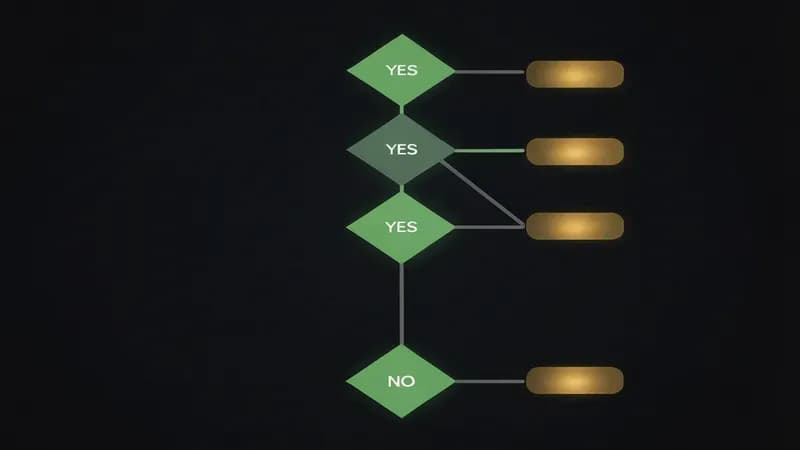
If two branches both say YES, say, you live in terminal AND want one enterprise bill, pick the second-listed tool and add the first as a personal upgrade. That's how the stacked workflow gets started.
When NOT to Use an AI Coding Agent (Honest Limits)
There are five contexts in 2026 where reaching for an AI coding agent will make you slower, create risk, or both. I've hit every one of these the hard way.
- Regulated codebases (medical device, avionics, banking core). Code-attribution and auditability requirements make agent-generated code a compliance nightmare. The audit trail "Claude Code wrote line 47" doesn't satisfy a regulator.
- Fully offline / air-gapped environments. No model means no agent. Local Llama is improving but isn't at Opus or GPT-5.5 quality for hard tasks yet.
- Legacy COBOL / Fortran / RPG. Training data sparsity means agents hallucinate confidently on these languages. I tried Claude Code on a small COBOL maintenance task and bailed within 20 minutes, it was generating plausible-looking nonsense.
- Tiny one-file utilities. If the task is "write a 12-line bash script," the agent's planning overhead exceeds the actual work. Just write the script.
- When you're learning a new language. Autocomplete and agents short-circuit the learning loop. The pain of typing out wrong code is how you learn what right code feels like. Turn the agent off for the first month.
If your codebase is mostly legacy regulated code or fully offline, every AI coding agent on this list will make you slower.
Agents are use tools. They multiply what you already understand. They don't replace understanding, and they're not a shortcut for the discomfort of learning.
Migration Paths: Moving From Copilot, Cursor, or Nothing
If you already have an agent, switching cold is rarely the right call. Augmenting is. Here's how I'd onboard from the three most common starting points.
-
From GitHub Copilot Pro → Claude Code. Keep Copilot for inline autocomplete (it's fine at that and your muscle memory is already there). Add Claude Code Pro for the 20% of tasks Copilot fumbles, multi-file refactors, ambiguous bug hunts, anything that needs a plan. Combined cost: $30/mo. Time to evaluate: one focused day on a real task you've been putting off.
-
From Cursor Pro → Cursor + Claude Code stack. Don't replace Cursor, augment it. Cursor is genuinely the best daily-driver IDE in 2026, and the muscle memory is real. Add Claude Code in a second terminal pane for the hard tasks Cursor's Composer occasionally stumbles on. This is the most common "I'm a senior IC and want to level up" path.
-
From nothing → Cursor Pro. Easiest on-ramp for IDE-first devs. Why not Claude Code first? Because IDE-first muscle memory wins for the first 30 days, you'll trust the tool faster if it lives where you already work. Once Cursor feels boring, that's the signal to add Claude Code or Codex.
The mistake I see most often: people try to switch cold and lose two weeks to muscle-memory friction. Stack first, switch later, if ever.
What Reddit Actually Says (Community Sentiment, May 2026)
I'm not going to pretend Reddit is gospel, but when the same complaint shows up 50 times in a week, it's signal not noise. Here's what the three biggest communities are actually saying as of May 2026.
r/ChatGPTCoding consensus on Codex GPT-5.5 vs Claude Opus 4.7: a narrow split, with GPT-5.5 favoured for end-to-end agentic runs and Opus 4.7 favoured for multi-file reasoning depth. The weekly comparison threads show users routinely running both. The most common gripe on Codex Cloud is opaque failure modes; the most common compliment is "it shipped my PR while I slept."
r/cursor in May 2026 is loud about two things: Composer 2.0's quality jump (genuinely loved) and credit-burn pain (genuinely hated). The recurring thread theme is "I love this tool but I keep hitting my plan ceiling on Wednesday." Anysphere's pricing transparency is being asked for in nearly every weekly thread.
r/ClaudeAI is still processing the April 2026 Claude Code postmortem. The reaction split: power users appreciated Anthropic publishing the postmortem at all (rare in the industry); new users were spooked by the reliability dip. Opus 4.7 has largely restored confidence among the regulars, but the trust signal that "Anthropic admits when they regress" is now the differentiator. The first best ai coding agents 2026 reddit search returns this exact spread of opinions.
Pricing Math: What These Tools Really Cost a Solo Dev or 5-Person Team
Per-tool list prices are easy to find. The real math is per active dev day and annualized. Most teams over-spend on tools they don't use daily and under-spend on the one tool that saves them four hours a week. Two-line ROI framing: if a $20/mo agent saves you one hour of work per week, you're paying ~$0.50/hr; break-even is roughly 5 minutes of saved work per week.
"Monthly Cost: Solo Developer Plan (May 2026)"
Data table
| "USD / month" | "Solo monthly cost" |
|---|---|
| "Cline / Aider / OpenCode (BYO key)" | 0 |
| "Gemini CLI (free tier)" | 0 |
| "GitHub Copilot Pro" | 10 |
| "Windsurf Pro" | 15 |
| "Cursor Pro" | 20 |
| "Claude Code Pro (Sonnet)" | 20 |
| "OpenAI Codex Plus" | 20 |
| "Replit Core + Agent" | 25 |
| "Amazon Q Developer Pro" | 19 |
| "Claude Code Max (Opus)" | 200 |
| "OpenAI Codex Pro" | 200 |
| "Devin Team" | 500 |
| Tool | Solo (1 dev / mo) | Solo Annual | 5-Person Team / mo | 5-Person Team Annual |
|---|---|---|---|---|
| Claude Code Pro | $20 | $240 | $100 | $1,200 |
| Claude Code Max | $200 | $2,400 | $1,000 | $12,000 |
| OpenAI Codex Plus | $20 | $240 | $100 | $1,200 |
| OpenAI Codex Pro | $200 | $2,400 | $1,000 | $12,000 |
| Cursor Pro | $20 | $240 | $100 | $1,200 |
| Cursor Ultra | $40 | $480 | $200 | $2,400 |
| GitHub Copilot Pro | $10 | $120 | , | , |
| GitHub Copilot Business | $19 | $228 | $95 | $1,140 |
| Windsurf Pro | $15 | $180 | $75 | $900 |
| Amazon Q Developer Pro | $19 | $228 | $95 | $1,140 |
| Replit Core + Agent | $20 + usage | ~$300 | $100 + usage | ~$1,500 |
| Devin Team | $500 | $6,000 | $500 (shared) | $6,000 |
| Cline / Aider / OpenCode | $0 + API | ~$60-360 | $0 + API | ~$300-1,800 |
| Gemini CLI | $0 | $0 | $0 | $0 |
Remember, the stacked workflow gives you 2-3 tools for $40-60/mo combined, and that's the math that actually beats single-tool subscriptions on real output.
How Techsy Approaches AI-Agent Tooling on Real Projects
On our client projects (mostly Next.js + Supabase), we run Cursor as the daily IDE, Claude Code for hard refactors and migrations, and Codex Cloud for overnight batched work. We don't recommend a one-tool stack to clients, different agents shine on different task shapes, and locking a team into a single vendor is a bigger risk in 2026 than picking the wrong tool.
Our usual rollout is two weeks of "stack first, evaluate later": install the IDE-tier agent on day one, add a terminal-tier agent on day eight, and only consider an autonomous agent in week three if there's actually a backlog of async tasks worth delegating. The mistake we keep watching teams make is starting with Devin because it sounds the most impressive, and burning $500/mo on tasks that Cursor or Claude Code would have handled in real time.
Need help integrating AI coding tools into your team's workflow? Get a free consultation.
FAQ: Best AI Coding Agents 2026
Is Claude Code better than Cursor in 2026?
It depends on workflow. Claude Code beats Cursor on terminal-first work and hard multi-file refactors thanks to Opus 4.7 reasoning depth. Cursor beats Claude Code on daily IDE flow, Composer 2.0 multi-file edits, and team onboarding for non-terminal-native devs. Most senior developers I know run both, Cursor as the editor, Claude Code in a second terminal pane. Our Claude Code vs Cursor vs Copilot deep-dive covers the head-to-head.
Which AI coding agent is best for large codebases?
For large codebases, Claude Code wins on reasoning depth (Opus 4.7 handles multi-file refactors well), Windsurf wins on indexing (Cascade is built for large monorepos), and Augment Code is the honourable mention for truly massive enterprise repos. SWE-bench Pro scores are a useful sanity check, but the real test is loading your actual repo and asking the agent to find a cross-package bug. Big codebases reward tools that index and reason; weaker agents drown in context.
Does Cursor still have the best AI coding agent in 2026?
Cursor is still the best daily-driver IDE agent in 2026, Composer 2.0 multi-file edits, Plan Mode, and isolated-VM background agents are class-leading. But Claude Code and Codex GPT-5.5 are now stronger on the hardest tasks (deep refactors, agentic delegation). The honest take from r/cursor: users love the product but credit-burn is real and surprises teams every month. The 2026 answer is "Cursor plus a terminal-tier agent," not "Cursor or something else."
Can AI coding agents replace junior developers?
No, with nuance. Agents use senior developers who already know what good code looks like; they make juniors slower if used as a crutch. The right framing is that agents shift junior-dev work toward code review, testing, and validation, the skills you can't learn while an agent does the typing for you. Teams that hire fewer juniors because "agents do the same work" are usually trading present cost for future bench depth. That's a real trade, not a free win.
How does Opus 4.7 compare to GPT-5.5 for coding?
Opus 4.7 (Claude Code, April 16, 2026) and GPT-5.5 (Codex, Q1 2026) trade wins by task shape. Opus 4.7 has deeper multi-file reasoning and terminal-native via Claude Code. GPT-5.5 has stronger end-to-end agentic task completion, especially in Codex Cloud and CLI. SWE-bench Verified numbers are within a few points either way, close enough that you should choose by workflow shape, not by benchmark deltas of less than 3 points. Most senior devs run both.
Final Verdict: Pick One, Then Add a Second in 30 Days
The shortest version of everything above: Claude Code wins on hard refactors, Codex wins on agentic delegation, Cursor wins on daily IDE muscle memory, and Copilot wins on enterprise governance, there is no single winner anymore. Pick the one that matches where you spend most of your day. If you live in a terminal, Claude Code. If you live in an IDE, Cursor. If your team needs one bill and SOC reports, GitHub Copilot. If you've got real overnight backlog and budget, Devin or Codex Cloud.
Then in 30 days, add a second. The stacked-workflow pattern isn't a hack, it's how senior devs actually work in 2026. Two agents for $40-60/mo cover more ground than any single subscription, and you'll spend the second month learning which agent to hand which task.
And remember the honest limit: if your codebase is mostly legacy regulated code, fully offline, or hot COBOL, skip everything on this list and use the tools you trust. The meta-skill in 2026 isn't picking an agent, it's knowing which agent to hand which task. That's the part no tool ranking can give you. That's just reps.