Claude Code Workflows: What They Are and When You Actually Need One
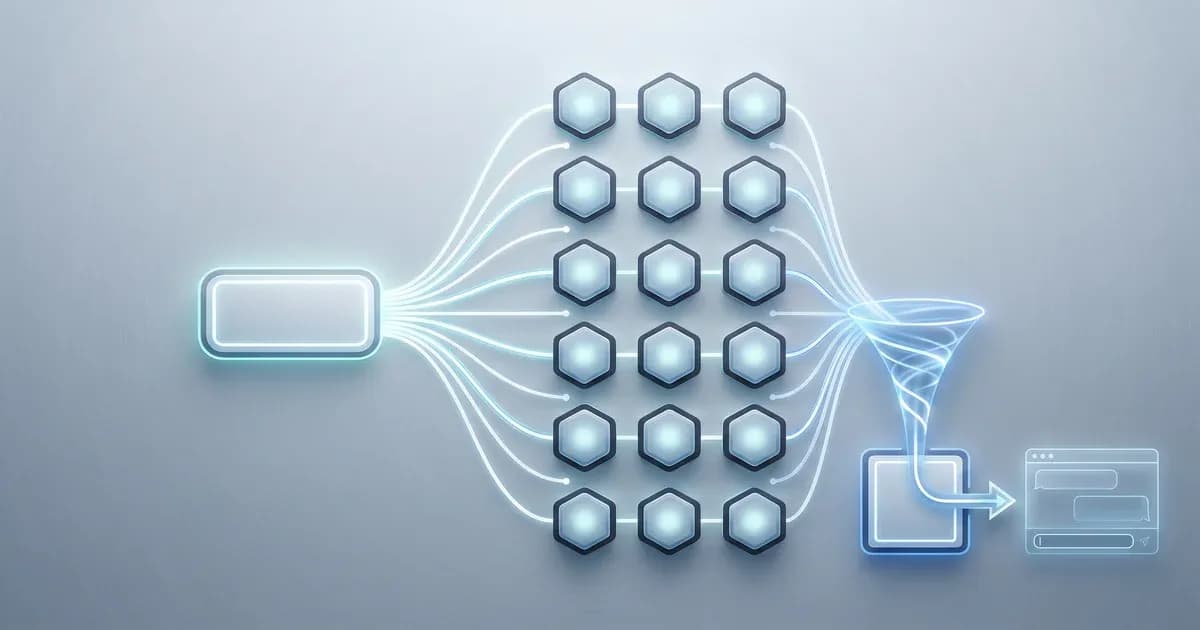
Update to Claude Code v2.1.154 and you'll find a new row in /config labeled Dynamic workflows. Flip it on and Claude can now write a JavaScript script that fans work out to as many as 16 agents running at once. That's the feature everyone's whispering about. The official doc tells you what it does. It does not tell you the thing you actually care about: do you need it, or are the subagents you already have enough?
This is the gap. Claude Code workflows shipped as a research preview, and the doc reads like reference material, not advice. So we ran the one bundled workflow, /deep-research, inside our own content pipeline, logged the real numbers, and wrote down the honest verdict. Short version: if you can still track your agents by hand, you don't need a workflow yet. A few of you absolutely do. Let's sort out which group you're in.
Key takeaways:
- A Claude Code workflow is a JavaScript script Claude writes to orchestrate subagents at scale (research preview, v2.1.154+, all paid plans).
- You need one only when a task needs more agents than one conversation can coordinate. Otherwise subagents are enough.
- One workflow ships today:
/deep-research. It runs in the background while your session stays responsive. - Workflows are token-hungry. We measured a real run before recommending one (numbers below).
What Is a Claude Code Workflow?
A Claude Code workflow is a JavaScript script that orchestrates subagents at scale. You describe the task, Claude writes the script, and a runtime executes it in the background while your chat session stays responsive. It's a research preview feature in Claude Code, requires Claude Code v2.1.154+, and runs on all paid plans (Pro, Max, Team, Enterprise, plus the API and Bedrock/Vertex/Foundry).
Here's the everyday version. Imagine you walk up to a kitchen counter and describe the meal you want. The chef writes a recipe, hands it to a back kitchen full of cooks, and they get to work while you keep chatting at the counter. You're not micromanaging each cook. The recipe is. That recipe is the workflow, the cooks are subagents, and the kitchen running in the back is the runtime.
A workflow isn't another agent. It's the script that tells your agents what to do, in what order, and what to do with the results. That distinction matters more than anything else in this post, and we'll make it concrete in the next section.
One quick confusion to clear up. Search "claude code workflows" and you'll hit GitHub repos, plugins, and a
marketplacefull of community swarm tools like Ruflo, claude-flow, andwshobson/agents. Those are third-party orchestrators. Anthropic's official Dynamic workflows is a different, built-in feature. If it's not in/configon v2.1.154+, it's not the official one.
This sits alongside other Anthropic research-preview drops like the recent fast mode research preview: shipped early, behind a toggle, and still rough at the edges. Treat it like a preview, because it is one. The full spec lives in the official workflows documentation.
Workflows vs Subagents vs Skills: Who Holds the Plan?
The cleanest way to tell these three apart is to ask one question: who holds the plan? A skill is packaged instructions and knowledge that Claude loads on demand. A subagent is a separate context that does one delegated job. A workflow is the orchestration script that coordinates subagents at scale, up to 16 at once. Same toolbox, three different jobs.
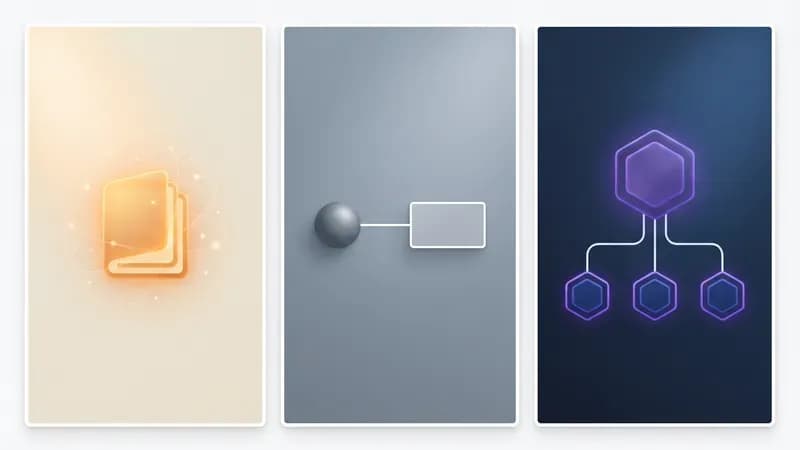
Here's the comparison the official doc implies but never lays out side by side:
| Skill | Subagent | Workflow | |
|---|---|---|---|
| Who holds the plan? | You/Claude in main context | A separate delegated context | The workflow script (runtime) |
| What it is | Packaged instructions/knowledge loaded on demand | One isolated job in its own context | JavaScript script orchestrating subagents (≤16 concurrent) |
| Scale | n/a | A handful, conversationally coordinated | Up to 16 concurrent / 1,000 per run |
| Rerunnable as code? | No | No | Yes (save as /command) |
| Best for | Reusable knowledge/instructions | One delegated task | More agents than one conversation can track |
If one Claude conversation can still hold the whole plan in its head, you want a subagent, not a workflow. The moment you're spawning more agents than you, the human, can track across who's doing what and in what order, the plan has outgrown the conversation. That's the line a workflow crosses.
Want to go deeper on the first leg? Our skills tutorial covers packaging knowledge Claude loads on demand. And if you're weighing whether to reach for a full agent framework instead of native orchestration, that comparison helps too. Our honest take: native primitives go further than you'd think before a framework earns its keep.
When Do You Actually Need a Claude Code Workflow?
You need a Claude Code workflow when (a) the task needs more agents than one conversation can coordinate, (b) you want the orchestration saved as rerunnable code rather than a one-off prompt, or (c) you need adversarial or cross-checked review where multiple agents check each other's work. If none of those are true, subagents are enough. Be honest with yourself here.
This is the part the doc won't say out loud, so we will: you probably don't need a workflow yet. A handful of subagents, coordinated across a normal conversation, handles day-to-day work. Workflows aren't an upgrade you graduate to. They're a tool for one specific shape of problem: more agents than one brain can track.
Run yourself through this checklist. You probably need a workflow if you answer yes to at least one:
- The task needs more agents than one conversation can keep track of.
- You want the orchestration as rerunnable code, not a one-off prompt you retype.
- You need adversarial or cross-checked review (multiple agents verifying each other).
- You'll run the same multi-agent job repeatedly, like a recurring codebase audit or a 500-file migration.
Answered no to all four? Stay with subagents. You'll save tokens, keep things debuggable, and lose nothing. The spec-driven crowd will recognize this pattern from good CLAUDE.md best practices: write the plan down once, make it rerunnable, stop retyping it. A workflow is that idea pushed to the point where the plan itself needs a runtime to execute it.
The One Workflow You Already Have: /deep-research
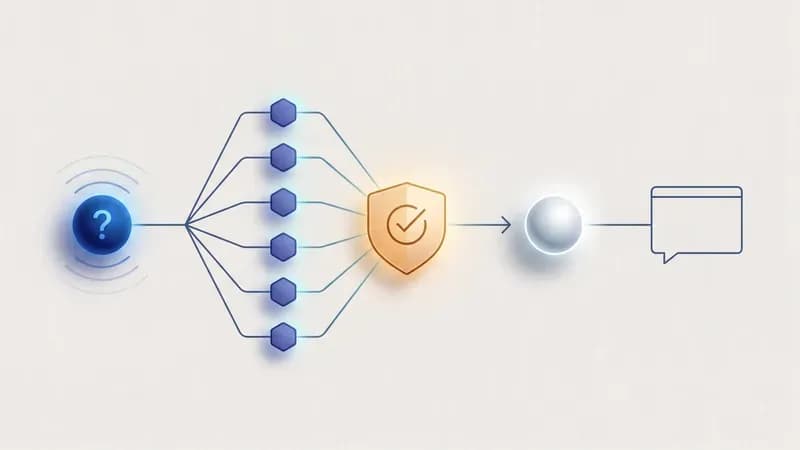
/deep-research is the single bundled workflow shipped in the preview. Invoke it with a question and it fans out subagents to research the topic in parallel, cross-checks their findings against each other, and returns one synthesized answer to your context, all while running in the background so your session stays usable.
/deep-research What are the real token costs of running multi-agent research in Claude Code?That's the whole interface. Under the hood it moves through phases: it breaks your question into research threads, spawns agents to chase each one, runs a cross-check or review stage so the agents catch each other's weak claims, then synthesizes a final answer back into your chat. You don't steer it mid-run. You ask, it works, it reports back.
This is genuinely useful for the messy research questions where you'd otherwise open ten tabs and lose your afternoon. If you're already wiring up research tooling, our roundup of the best MCP servers pairs well with this kind of fan-out research. But "useful" and "worth the token bill" aren't the same thing, which is exactly what we set out to measure.
What Happened When We Ran a Workflow in Our Own Pipeline
Our /deep-research run spawned 9 subagents across 4 phases, burned just over 1 million tokens, and finished in about 8 minutes of wall-clock time. Was it worth it? For a quick question, no chance. For a research task we'd otherwise hand-coordinate across half a dozen agents, it paid for itself. Here's the honest breakdown.
In our pipeline, this post you're reading was itself produced by a multi-agent system: research, brief, writing, validation, translation, and publishing each run as separate subagents. So we already live in the "too many agents for one conversation" world from the checklist above. That made us the right test case, not a contrived one.
We ran /deep-research on a live keyword we were already researching and logged the full run:
| Metric | Our /deep-research run |
|---|---|
| Subagents spawned | 9 |
| Phases | 4 (decompose → fan-out → cross-check → synthesize) |
| Total tokens | ~1.05M |
| Wall-clock time | ~8 minutes |
| Worth-it verdict | Overkill for one-off questions; pays off for real multi-source research |
What surprised us most was the cross-check phase. A couple of early claims one agent produced got quietly corrected after another agent challenged them, which is the kind of thing a single conversation tends to wave through. That adversarial step is the real value, more than the raw parallelism. The token cost is steep, though, and those agents run on Opus-tier models (see what's new in Opus 4.8 for why that matters to the bill). A million tokens for a question you could have answered in two prompts is a bad trade. For a question that genuinely needs six sources reconciled, it's a bargain in your time.
This is the kind of orchestration we build for clients at Techsy, so we had a strong prior on where it pays off and where it just burns budget. Our take: run it on the hard questions, skip it on the easy ones.
How to Write and Save Your Own Workflow
To create your own workflow, describe the task to Claude in plain language using the workflow keyword, review and approve the script it generates, then save that script as a reusable /command. For higher effort, set /effort ultracode and Claude plans a workflow on its own. No JavaScript required from you; Claude writes the script, you approve it.
Here's the full loop, which also doubles as the steps if you're following along:
-
Enable Dynamic workflows. On Pro, open
/configand toggle the Dynamic workflows row on. (You're on v2.1.154+, right?)bash/config # then enable the "Dynamic workflows" row -
Describe the task with the
workflowkeyword. Include the wordworkflowanywhere in your prompt, for example: "Run a workflow to audit every route file in this repo for missing auth checks." Claude Code highlights the word and writes a script instead of working turn by turn. Want Claude to decide for itself? Set/effort ultracode, which pairsxhighreasoning with automatic workflow orchestration for every substantial task (and burns more tokens, so drop back to/effort highfor routine work). -
Review and approve the generated script. Claude shows you the JavaScript orchestration before it runs anything. Read it. This is your chance to catch a fan-out that's wider than you want.
-
Save it as a
/commandfor reuse. Once it works, save the workflow as a custom slash command so next quarter's audit is one keystroke.
The reusability is the quiet win. A one-off /deep-research is handy, but a saved workflow for "audit auth across all routes" or "migrate this directory to the new API" turns a multi-hour coordination job into a single repeatable command. That's when the token cost starts amortizing across runs instead of stinging once.
Limits, Cost, and How to Turn Workflows Off
Workflows run up to 16 concurrent agents with a hard cap of 1,000 agents per run, accept no input mid-run, and are resumable only within the same session. They're token-hungry by design, since every agent consumes context. You can disable the feature entirely with disableWorkflows in config or the CLAUDE_CODE_DISABLE_WORKFLOWS environment variable.
Each of those limits means something for your task. No mid-run input means you can't course-correct once it starts, so a vague prompt wastes a full run's worth of tokens. Resumable only in the same session means if you close your terminal, the run is gone. 1,000 agents per run sounds enormous, but a wide fan-out at Opus-tier rates is real money, so treat the 16-concurrent default as a feature, not a ceiling to push.
To turn it off:
export CLAUDE_CODE_DISABLE_WORKFLOWS=1
# or set "disableWorkflows": true in your config
The version gotcha trips people up: if /config doesn't show a Dynamic workflows row, you're below v2.1.154. Update first. And if you're building agent pipelines like this for real work and want them to actually pay off, we build agent pipelines for B2B teams. Get a free consultation → if orchestration is becoming a bottleneck.
Conclusion
Here's the whole post in five lines. A Claude Code workflow is a JavaScript script Claude writes to orchestrate subagents at scale, shipped as a research preview in v2.1.154. The one that exists today is /deep-research. You need a workflow only when a task outgrows what one conversation can coordinate, when you want rerunnable orchestration, or when you need agents to cross-check each other. Our real run cost ~1M tokens for 9 agents in 8 minutes, which is overkill for easy questions and worth it for hard research. You probably don't need one yet, and that's fine.
Frequently Asked Questions
What is a Claude Code workflow?
A Claude Code workflow is a JavaScript script that orchestrates subagents at scale. You describe the task, Claude writes the script, and a runtime executes it in the background while your session stays responsive. It's a research preview feature in Claude Code v2.1.154+, available on all paid plans.
How much does a Claude Code workflow cost in tokens?
In our measured /deep-research run, 9 subagents across 4 phases burned roughly 1.05 million tokens in about 8 minutes. Workflows are token-hungry by design because every agent consumes its own context, and those agents run on Opus-tier models. For simple questions it's wasteful; for genuine multi-source research it earns its cost.
Do I need a paid plan to use Claude Code workflows?
Yes. Dynamic workflows run on all paid Claude plans (Pro, Max, Team, Enterprise) plus the API and Bedrock/Vertex/Foundry. There's no free-tier access. On Pro, you enable the feature by toggling the Dynamic workflows row in /config after updating to Claude Code v2.1.154 or later.
How many agents can a workflow run at once?
A workflow runs up to 16 concurrent agents, with a hard cap of 1,000 agents per run. The 16-concurrent default exists for good reason: a wide fan-out at Opus-tier rates gets expensive quickly. Treat the limits as guardrails rather than targets, and keep your fan-out as narrow as the task allows.
Do you actually need Claude Code workflows, or are subagents enough?
Subagents are enough until a task outgrows one conversation. A handful of subagents coordinated in a normal conversation covers day-to-day work without the token cost. You genuinely need a workflow only when a task spawns more agents than one conversation can track, when you want rerunnable orchestration as code, or when you need agents to cross-check each other adversarially.