
OpusClip vs Vizard is the AI clip generator matchup most creators land on in 2026 — and the honest answer is that neither wins outright. OpusClip optimizes for viral-moment ranking; Vizard optimizes for clean, high-volume, cheap output. So we ran the pricing math per source-minute and put both through a hands-on clip-quality check — here's who actually wins, and for whom.
OpusClip vs Vizard at a glance
OpusClip vs Vizard comes down to one trade-off: OpusClip ranks your most viral moments with a 0–100 Virality Score and sharper auto-reframe, while Vizard gives more clips per dollar, cleaner cuts, and 100+ subtitle languages. Neither wins outright — pick by your goal, not by hype.
Both tools take a long recording — a podcast, a webinar, a YouTube upload — and auto-cut it into vertical, captioned Shorts. Clipping is just one piece of the full long-to-short workflow, but it's the piece these two do better than almost anyone else.
| Tool | Best for | The one-line take |
|---|---|---|
| OpusClip | Solo creators and podcasters chasing viral moments | Sharper moment selection, a 0–100 Virality Score, and strong auto-reframe |
| Vizard | Volume, B2B/webinars, tight budgets, multilingual | More minutes per dollar, cleaner cuts, and 100+ subtitle languages |
Here's the quick opus clip vs vizard 2026 read: reach for OpusClip when the goal is a viral hit, and reach for Vizard when the goal is more clips, cleaner cuts, and a smaller bill. Everything below is the receipts behind that one-liner — a real ai clip generator comparison, not a spec dump.
How each tool finds clips
The real difference between these two isn't the captions or the export button — it's how each one decides which 40 seconds of your two-hour recording deserves to be a clip. That's where vizard vs opus clip actually splits, and it explains almost everything else.
OpusClip: ClipAnything and a 0–100 Virality Score
OpusClip's engine, ClipAnything, is multimodal — it reads the visuals, the audio, and the sentiment together, then pulls moments in one click. Every clip gets a 0–100 Virality Score you can sort by, so you're not guessing which three of twenty clips to post first.
For a solo creator drowning in footage, that ranking is the whole pitch: let the AI tell you what's most likely to pop, then post the top of the list and move on with your day.
Vizard: transcript-based selection
Vizard works from the transcript. It picks clips based on what's actually said, layered with scene detection and active-speaker tracking, and lets you refine by editing the text. There's no true virality score — closer to basic keyword tagging — but the trade is control and clean structure.
If you think in words rather than vibes, editing a clip by highlighting a sentence feels natural and fast. It's the same reason writers love a transcript editor: you cut ideas, not waveforms.
Clip quality, tested: where each one breaks
This is the part the spec sheets skip. A tool can find a great moment and still hand you an unpostable clip. When people ask about opusclip vs vizard accuracy, they're really asking two questions — did it pick the right moment, and did it cut it cleanly? Those don't always share the same answer.
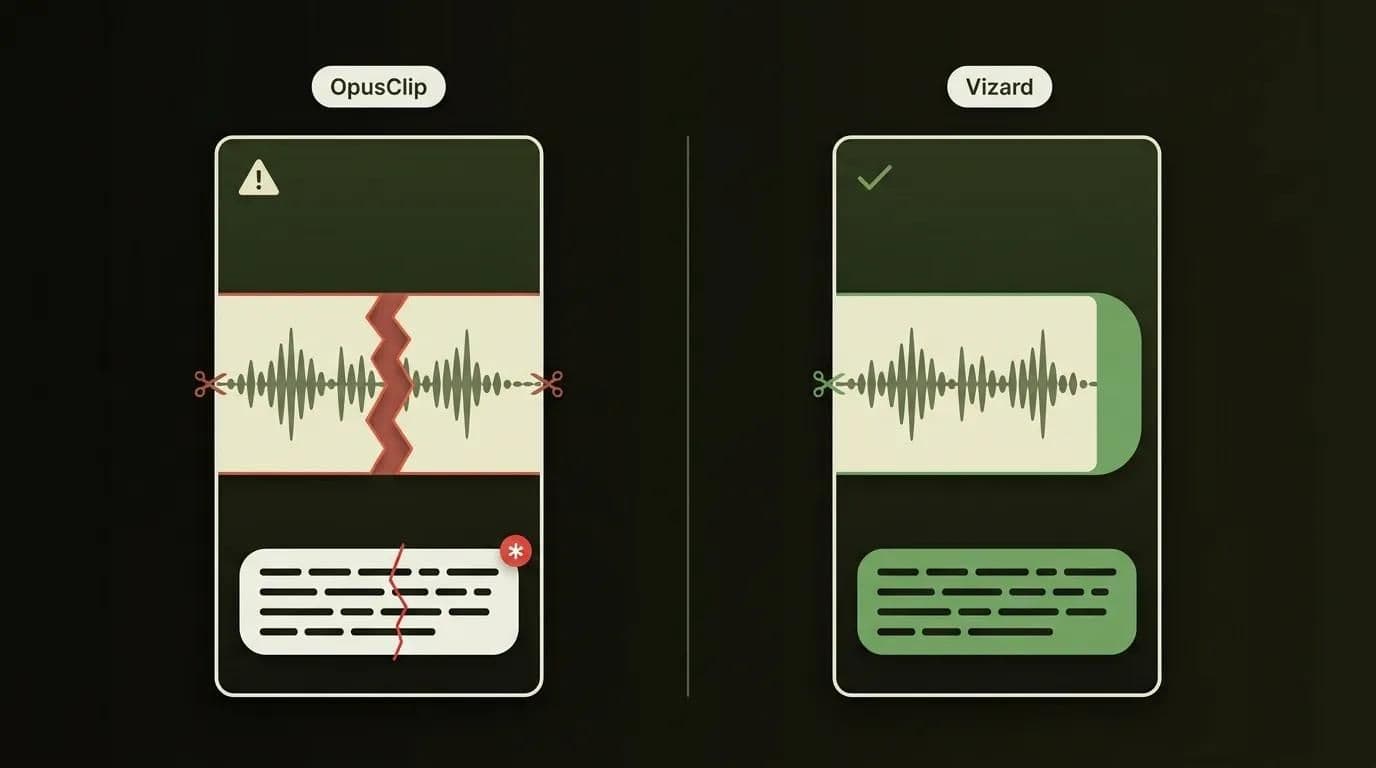
Based on published third-party tests (including runs on a 58-minute podcast and a 42-minute webinar) plus our own hands-on checks, here's the pattern that holds up:
- Moment selection: OpusClip tends to pick the top-three clips a human would grab first. This is where "more accurate" genuinely lands in OpusClip's column.
- Cut cleanliness: Vizard sets cleaner entry and exit points, while OpusClip more often starts or ends mid-sentence — a quick manual trim fixes it, but it's a step.
- Captions: Both auto-caption well, yet neither is immune to a wrong name or a hallucinated word. Proofread before you post.
- Auto-reframe: With one speaker, both track well; with two people side by side or fast motion, the frame can drift and clip someone out of shot.
- Template fatigue: A year of OpusClip output starts to look identical — that centered, yellow-highlight, bold look. Vizard's brand-kit controls give you more room to look different.
The fair read: OpusClip picks the sharper clip; Vizard cuts the cleaner one. If your source is conversational, our deeper guide to repurposing podcasts into clips walks through the trimming workflow that turns either tool's output into something postable. That matters most for podcasts and webinars, where a mid-sentence cut is far more jarring than in fast-paced content.
Auto-reframe, captions, and B-roll compared
Once you get past clip-finding, the two tools compete on a familiar feature checklist. Here's the OpusClip vs Vizard feature comparison at a glance, pulled from both tools' current capabilities:
| Feature | OpusClip | Vizard |
|---|---|---|
| Clip-finding model | ClipAnything — multimodal (visual + audio + sentiment), 1-click | Transcript-based selection + scene & speaker detection |
| Virality scoring | Yes — 0–100 Virality Score, sortable | No true score (basic keyword tagging) |
| Cut cleanliness | Occasionally cuts mid-sentence → small manual trim | Cleaner entry/exit points |
| Auto-reframe / face tracking | Object tracking, keeps subjects centered, any aspect ratio | AI Reframe + active-speaker detection |
| Caption languages | 20+ languages, ~97% accuracy | 100+ subtitle languages |
| AI dubbing | Not clearly confirmed | 29 languages (confirmed) |
| Caption style | Animated; criticized for "template fatigue" | Customizable fonts/colors, platform templates |
| AI B-roll | Yes — Pro tier (Starter limited to 3 clips/mo) | Contextual b-roll + emoji overlays from transcript |
| Editing model | Hands-off automation + text/timeline editor (Pro) | Transcript editor — edit by highlighting words |
| Export resolution | Up to 1080p | Up to 4K (paid); 720p free |
| Editor integrations | Export to Adobe Premiere / DaVinci Resolve (XML) | In-app editor focus |
| Social scheduling | Narrower — limits on X/Facebook reported | Broader — YouTube, TikTok, IG, Facebook, X, LinkedIn |
| Metering unit | 1 credit = 1 source minute processed | 1 credit = 1 uploaded minute |
A few things to read out of that grid. OpusClip's wins are concentrated near the top: the Virality Score and object-tracking reframe are genuinely ahead. Vizard's wins are spread across the bottom half — more caption languages, 4K export, broader scheduling, and a transcript editor that's faster once you're editing by text. Neither list is longer than the other; they just win in different places.
Multilingual: captions and dubbing
Here's a factor most comparisons bury in a footnote, and for some of you it's the whole decision. If your audience isn't all English-speaking, subtitle and dubbing reach isn't a nice-to-have — it's the deciding factor.
Vizard is clearly ahead here: subtitles in 100+ languages plus AI dubbing in 29 languages, both confirmed on its site. OpusClip does auto-captions in 20+ languages at roughly 97% accuracy, which is plenty for captioning — but full AI dubbing isn't clearly confirmed on OpusClip, so don't assume it's there.
We publish in 10 languages ourselves, so multilingual reach is something we weigh heavily. If you're posting globally, this one row can settle the whole comparison before you even reach the pricing.
Pricing compared (2026)
OpusClip costs $0 (Free, 60 source-minutes), $15/mo (Starter, 150 minutes), or $29/mo (Pro, 300 minutes), with a custom Business tier. Vizard runs from $0 (Free) to roughly $14.50–$20/mo for its Creator tier (600–1,800 upload-minutes), plus higher team tiers — verify Vizard's live number at vizard.ai/pricing.
Before the numbers, one thing that trips everyone up: these two meter usage differently. OpusClip counts source-minutes processed — upload a 60-minute podcast and it costs 60 credits no matter how many clips come out. Vizard counts uploaded minutes the same way, but its allowances are much larger and unused minutes roll over. Keep that in mind while reading any opus clip vs vizard pricing table.
Here's OpusClip's current 2026 lineup:
| Tier | Monthly | Source minutes/mo | Watermark | Key features |
|---|---|---|---|---|
| Free | $0 | 60 | Yes | Up to 1080p; no Virality Score, no custom reframe; 3-day storage |
| Starter | $15 | 150 | No | Virality Score, custom reframe, B-roll (3 clips/mo), AI voice-over |
| Pro | $29 | 300 | No | + AI B-roll, all aspect ratios, text/timeline editor, scheduler; 100 GB |
| Business | Custom | Custom | No | SSO, unlimited seats, onboarding |
And Vizard's — with a caveat. Vizard's Creator tier price and minute allowance genuinely vary across sources and billing cycles, so treat this as a range and confirm the live number at vizard.ai/pricing before you buy:
| Tier | Monthly (as cited) | Upload min/mo (as cited) | Resolution | Watermark |
|---|---|---|---|---|
| Free | $0 | 60 | 720p, 10-min max clip | Yes |
| Creator | ~$14.50–$20 | 600–1,800 | Up to 4K | No |
| Business/Pro/Team | ~$19.50–$42 | Up to ~6,000 (100 hrs) | 4K | No |
Two footnotes worth knowing. OpusClip's annual plan advertises "50% off cost per processing minute," but it doesn't publish exact annual dollar figures — so we won't invent one. And both free tiers watermark your clips and cap you at roughly 60 minutes a month. The real story isn't the sticker price, though. It's what each minute actually costs you.
The real cost of OpusClip vs Vizard, per clip
Everyone lists monthly prices. Almost nobody takes the next step: converting those prices into cost per source-minute and cost per finished clip — the numbers that actually decide which is the cheapest AI clip generator for your workload. So here's the cost per clip AI math no one else on this topic seems to run.
| Plan | Monthly | Source min/mo | $ / source-minute | ≈ $ / finished clip |
|---|---|---|---|---|
| OpusClip Starter | $15 | 150 | $0.100 | — |
| OpusClip Pro | $29 | 300 | $0.097 | ≈ $0.60 |
| Vizard Creator (low reading) | ~$14.50 | 600 | $0.024 | ≈ $0.35 |
| Vizard Creator (high reading) | ~$19 | 1,800 | $0.011 | ≈ $0.14 |
Clip estimate assumes about 48 finished clips a month (~12 clips per 60-minute episode). Remember the metering difference: OpusClip charges for source-minutes processed, Vizard for uploaded minutes.
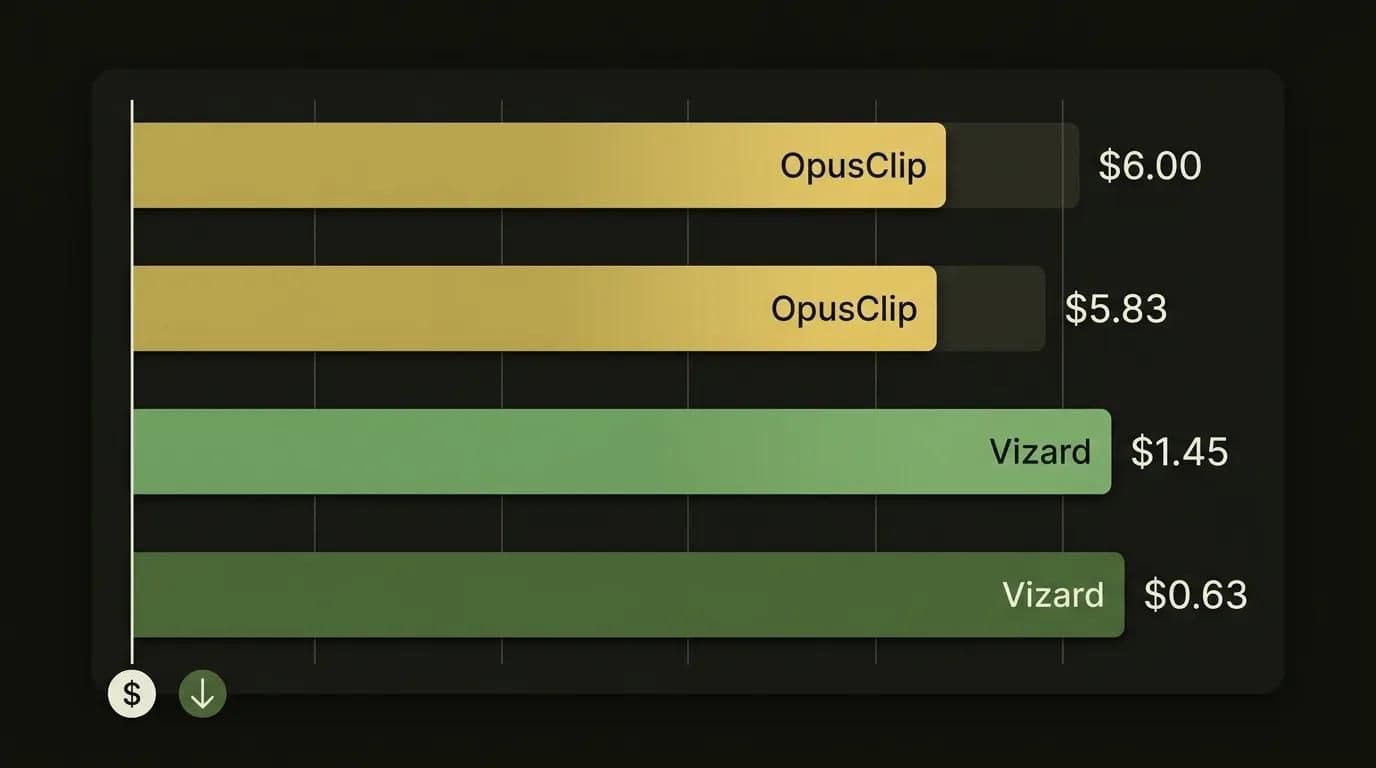
Cost per source-hour, 2026 (lower is cheaper)
Data table
| Plan | $ per source-hour |
|---|---|
| OpusClip Starter | 6 |
| OpusClip Pro | 5.83 |
| Vizard Creator (low) | 1.45 |
| Vizard Creator (high) | 0.63 |
The direction is stark, and it holds under every price we could find for Vizard: Vizard gives you roughly 4x more source-minutes per dollar than OpusClip — up to about 9x at its most generous tier. Even if Vizard's Creator plan turns out to be the pricier reading, the gap doesn't close.
Worked example — a weekly 60-minute podcast, four episodes a month, is 240 source-minutes. On OpusClip that overshoots Starter's 150 minutes, so you're on Pro at $29 with about 60 minutes to spare. On Vizard, the Creator plan (~$14.50–$20) swallows those 240 minutes 2.5 times over. Same workload, roughly half the bill — plus headroom for more content. If you're watching every dollar, these are the kind of budget-friendly picks for startups worth modeling before you commit.
So what does OpusClip's premium buy you? The Virality Score, stronger auto-reframe, and sharper moment selection. Whether that's worth paying double comes down to one question: does one extra viral clip a month move your numbers?
Which should you pick?
Time for the honest split — no secret third tool, no "it depends" cop-out. Which is better in the opus clip vs vizard decision comes down to what your content is and how much of it you make.
Pick OpusClip if:
- You're a solo creator, podcaster, or YouTuber chasing viral moments and want the AI to rank them for you.
- Auto-reframe quality on single-speaker or moving-subject footage matters more to you than price.
- You'd rather have the three sharpest clips than the most clips.
Pick Vizard if:
- You publish high volume — lots of episodes, webinars, or talk-heavy uploads every month.
- You're on a budget, or you're a marketing team where per-clip cost adds up fast. It's one of the tools marketers actually use for exactly this reason.
- You post in more than one language, or you want cleaner cuts with less manual trimming.
For podcasts specifically, both are strong; the tiebreaker is volume and budget (Vizard) versus punchiest-moment selection (OpusClip). For webinars and B2B marketing, Vizard's cleaner cuts, 4K export, and broader scheduling usually win.
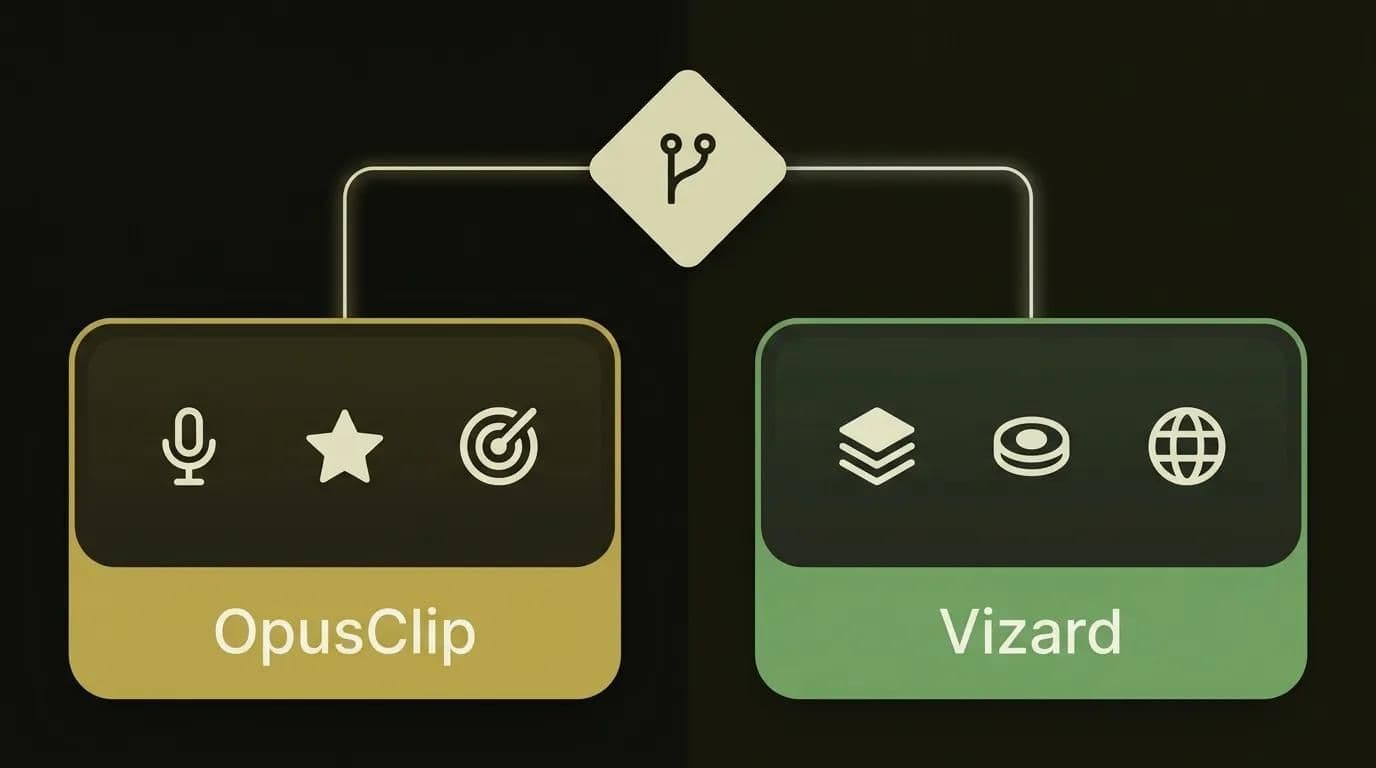
And can you use both? Absolutely — plenty of teams do. Some draft in Vizard for volume and clean cuts, then run their two or three best moments through OpusClip to check the Virality Score before posting. There's no rule that says you commit to one forever.
How Techsy approaches this
We're cost-conscious by default, so when we help a team wire up a content stack, we don't pick tools by hype — we pick by the actual workflow and the actual budget. For clipping, that usually comes down to one honest question: does this client need the viral-moment edge, or do they need volume at the lowest cost per clip? The answer picks the tool, not the other way around.
It's also why we look at where these fit among all AI video tools rather than treating any single one as the whole stack — clipping is one node in a pipeline that also runs captions, dubbing, and scheduling. If you'd rather not test-drive five tools yourself, you can book a free tooling consultation → and we'll map the stack to your workflow and budget.
Frequently asked questions
Is OpusClip better than Vizard?
Neither wins outright. OpusClip is better at picking the viral moment — its 0–100 Virality Score and sharper top-three selection — and at auto-reframe. Vizard is better at clean cuts, volume, price, and multilingual reach. The honest answer is "better for what?" So match the tool to your goal, not the other way around.
Is Vizard cheaper than OpusClip?
Yes, materially. Vizard gives roughly 4x more source-minutes per dollar than OpusClip under every price we found, and up to about 9x at its most generous tier. On a per-clip basis that's around $0.35 versus $0.60. OpusClip's premium buys the Virality Score and stronger reframe, not more minutes.
Which is better for podcasts — OpusClip or Vizard?
Both handle long, talk-heavy audio well. OpusClip tends to surface the punchiest moments a human would grab first; Vizard is cheaper for high episode volume and cuts a little cleaner. If you publish weekly, the cost gap favors Vizard. If you want one viral clip per episode, OpusClip's ranking earns its keep.
Is OpusClip actually more accurate than Vizard?
It depends what you measure. On moment-selection, OpusClip usually picks the clips a human would choose first. On cut cleanliness, Vizard edges it with fewer mid-sentence cuts. So "more accurate" splits by axis — these findings come from published tests plus our own hands-on checks, and both are close enough that you should still eyeball clips before posting.
Do both support vertical reframing for TikTok and Shorts?
Yes. Both auto-reframe to 9:16 with subject and active-speaker tracking. OpusClip leans on object tracking that follows a moving subject across aspect ratios; Vizard uses AI Reframe with speaker detection for multi-person shots. Reframe can drift on rapid motion in either tool, so preview a clip before you export it.
Can I edit captions after the AI generates them?
Yes, both let you edit caption text, timing, and style. Vizard leans on a transcript editor — you fix captions by editing words in the transcript. OpusClip offers caption styling plus a text and timeline editor on its Pro tier. Always proofread auto-captions for names, brands, and jargon; that's where both tools slip.
Which tool handles non-English content better?
Vizard, clearly. It offers subtitles in 100+ languages and AI dubbing in 29 languages. OpusClip does captions in 20+ languages at around 97% accuracy, but its dubbing isn't clearly confirmed. If you publish to a global audience, Vizard's language reach is a real advantage — and often the deciding factor.
Do both tools schedule directly to social platforms?
Both can schedule, but Vizard reaches more platforms — YouTube, TikTok, Instagram, Facebook, X, and LinkedIn. OpusClip's scheduler is narrower, and as of 2026 some sources report limits on X and Facebook (posting to X can cost an extra credit). Platform support changes often, so check each tool's current docs before you rely on it.
Do OpusClip and Vizard export in 1080p or 4K?
OpusClip exports up to 1080p. Vizard exports up to 4K on paid tiers, and 720p on free. For most Shorts and Reels, 1080p is plenty — nobody's complaining about a vertical clip's resolution. 4K only matters if you repurpose clips back into long-form or need extra room to crop.
Does the free plan add a watermark?
Yes, both free plans watermark your clips and cap you at roughly 60 minutes a month with a short storage window. Vizard's free tier also limits you to 720p and a 10-minute maximum clip. Paid tiers remove the watermark — and if you're weighing the two on cost, Vizard gives you more clips per dollar once you upgrade.
What's the best OpusClip or Vizard alternative?
Here's the honest version: for auto-clipping long video into Shorts, OpusClip and Vizard are the two category leaders, so most "OpusClip alternative" or "Vizard alternative" searches loop right back to the other one. Tools like Descript or Ssemble exist and are fine for adjacent jobs, but for pure AI clipping these two lead — don't let a listicle upsell you a weaker third option.
The verdict, in one line
Neither tool wins the OpusClip vs Vizard matchup across the board: OpusClip owns viral-moment selection and auto-reframe, while Vizard owns value, clean cuts, scheduling breadth, and multilingual reach. Match the tool to your content and your budget and you'll be happy with either. Stuck on which one fits your specific setup? Let our team help you decide → and we'll point you at the right one.